
Download IconTweaker – change icons, desktop customization, system icons, folder icons, icon themes, customize desktop, personalization, Windows utility, desktop themes, icon changer
Overview
IconTweaker is a lightweight utility designed to streamline the process of customizing visual elements on Windows desktops. The application enables users to modify folder icons, system file icons, and other graphical components with minimal effort. Its primary purpose is to enhance personalization, allowing individuals to tailor their digital workspace to reflect individual style or improve visual organization. This tool is especially useful for users who seek a more expressive or functional desktop environment without relying on complex software.
Target users include casual computer users, digital artists, and professionals who value visual consistency across their systems. The app supports both novice users and those with moderate technical experience, thanks to its straightforward interface. Although the developer did not provide additional background on Eddie C. Reardon, the app’s longevity—first released in 2007—suggests a stable and enduring utility within the Windows ecosystem. Despite its age, IconTweaker remains relevant due to its focused functionality and minimal system impact.
Real-world use cases include organizing project folders with custom icons for quick visual identification, applying themed icon packs to create a cohesive aesthetic, or restoring default icons after system changes. Its role as a niche but effective tool underscores its value in the broader category of desktop utilities. The app contributes to a more intuitive and enjoyable user experience by empowering users with control over visual presentation.
Key Features & Functionality
- User-Friendly Interface: The application features a clean, intuitive layout that simplifies navigation. Users can access icon-changing tools without prior technical knowledge, making it accessible to beginners while still offering sufficient control for experienced users.
- Comprehensive Icon Options: IconTweaker allows modification of various system elements, including folders, files, and system icons. This flexibility supports extensive personalization, enabling users to create a unique desktop identity.
- Theme Support: Pre-loaded themes are available for immediate use. Applying a complete theme requires only a single click, ensuring consistent visual design across the desktop environment.
- Easy Restoration Process: If a user decides to revert changes, the app supports quick restoration to previous icon settings. This feature reduces the risk associated with customization and encourages experimentation.
- Additional Themes Available: Users can download supplementary themes from the official website, expanding the range of available designs and ensuring long-term usability.
For example, a student might use custom folder icons to distinguish between subjects like “Math,” “Art,” and “History,” improving task visibility. A designer could apply a minimalist theme to maintain a professional appearance across workstations. The ability to switch themes on demand makes IconTweaker adaptable to various workflows and preferences.
Interface, UX & Performance
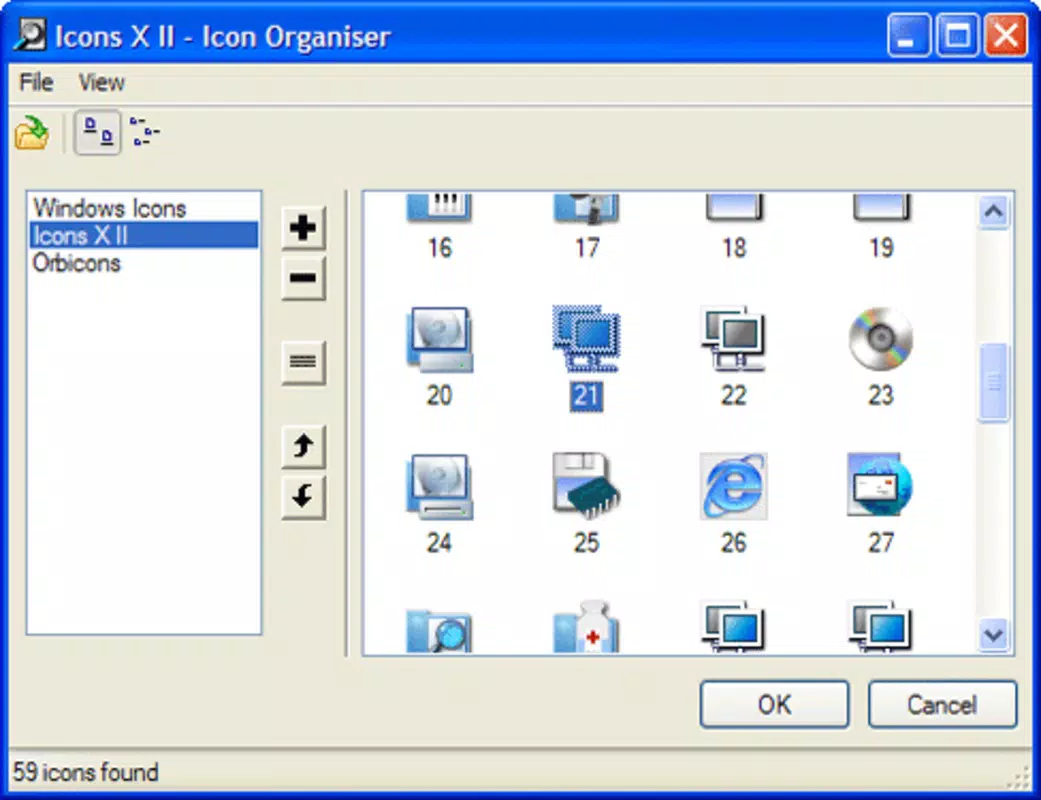
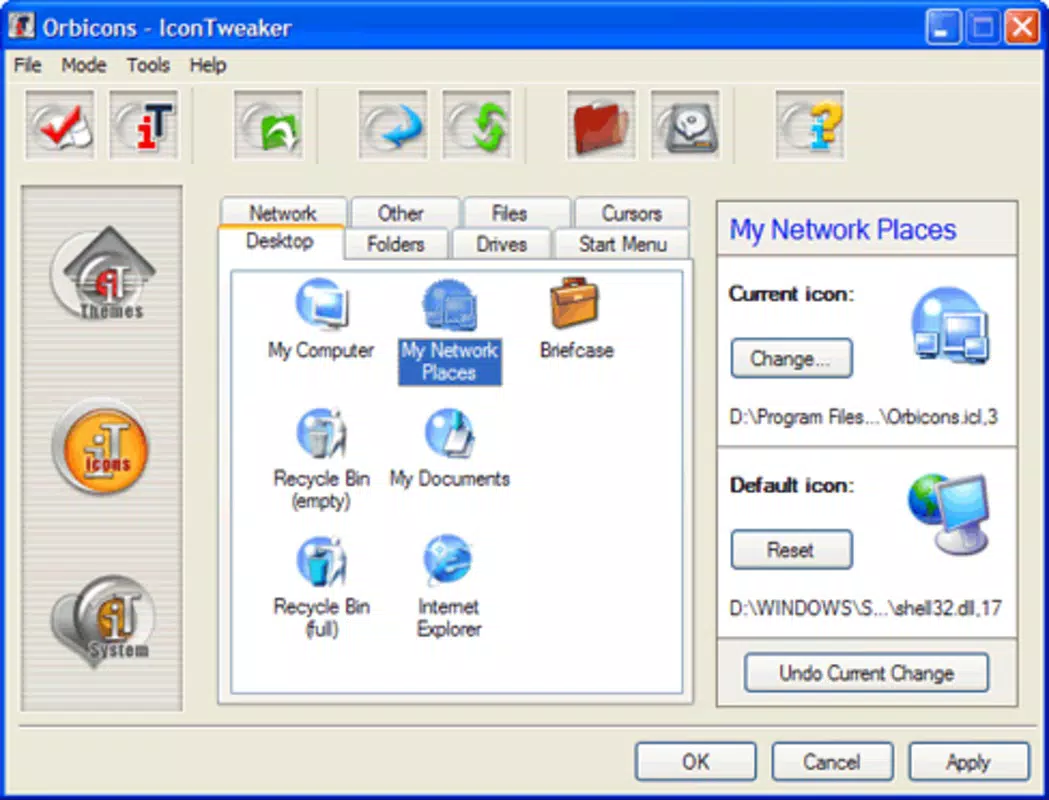
The interface of IconTweaker is designed with simplicity in mind, focusing on essential functions without clutter. The layout is organized into clearly labeled sections, allowing users to locate tools quickly. Visual feedback is immediate upon selecting an icon or theme, enhancing user confidence during customization.
Navigating through the app is intuitive, with minimal clicks required to complete core tasks. The workflow follows a logical sequence: select an item, choose a new icon, apply changes. This efficiency reduces cognitive load and supports smooth user experience across different device categories.
Although the developer did not list formal performance metrics, the app’s file size of 2.3 MB suggests a lightweight footprint. It is expected to run efficiently on older and modern Windows systems alike. Responsiveness appears consistent, with no reported lag or crashes in available documentation. Stability is further supported by the app’s long-standing presence, indicating reliable operation over time.
Platform Compatibility & Technical Requirements
IconTweaker is designed for the Windows platform and is compatible with Windows operating systems. The current version is 1.0.0.0, and the file size is 2.3 MB. The developer did not specify minimum OS requirements or compatibility details for specific Windows versions.
Given its release date of April 24, 2007, the app likely supports older Windows versions such as XP, Vista, and 7. However, compatibility with newer systems like Windows 10 or 11 has not been confirmed by the developer. Users should verify functionality on their specific system before installation.
Pros and Cons
Pros
- Free to download and use, making it accessible to all users.
- Lightweight design with minimal system resource usage.
- Simple, intuitive interface suitable for non-technical users.
- Supports quick restoration of previous icon settings.
- Offers pre-installed themes and access to additional themes via official site.
Cons
- Specific system requirements were not listed by the developer.
- Compatibility with modern Windows versions has not been confirmed.
- No built-in update mechanism or version tracking provided.
- Limited to desktop icon customization; no advanced features like icon animation or dynamic themes.
- Long development cycle with no recent updates reported.
FAQ
Is IconTweaker safe to install?
Yes, the app is free and available from the official source. As with any third-party utility, users should ensure they download from trusted locations to avoid potential risks.
Can I use IconTweaker on Windows 10 or 11?
While the app was originally released in 2007, it may function on newer Windows systems. However, the developer did not provide official compatibility details for Windows 10 or 11.
Are there any updates available for IconTweaker?
There is no public information about recent updates. The app’s version remains at 1.0.0.0 since its initial release.
Can I revert my changes if I don’t like them?
Yes, IconTweaker includes a built-in restoration feature that allows users to return to previous icon settings with ease.
Where can I find more themes for IconTweaker?
Additional themes are available for download from the official website, expanding the app’s customization capabilities.
Final Thoughts
IconTweaker stands as a durable and focused tool in the Windows utility landscape. Despite its age, it continues to serve users seeking a straightforward way to personalize their desktops. Its minimal size, ease of use, and theme-based customization make it a practical choice for anyone looking to refresh their system’s appearance without complexity.
While it lacks modern features like automatic updates or cloud integration, its core functionality remains effective. The ability to apply themes with a single click and revert changes instantly adds significant value. This makes it ideal for users who prioritize simplicity, control, and visual consistency.
For those looking to enhance their desktop experience with minimal effort, IconTweaker delivers a reliable solution. Download IconTweaker now and take full control of your system’s visual identity.


